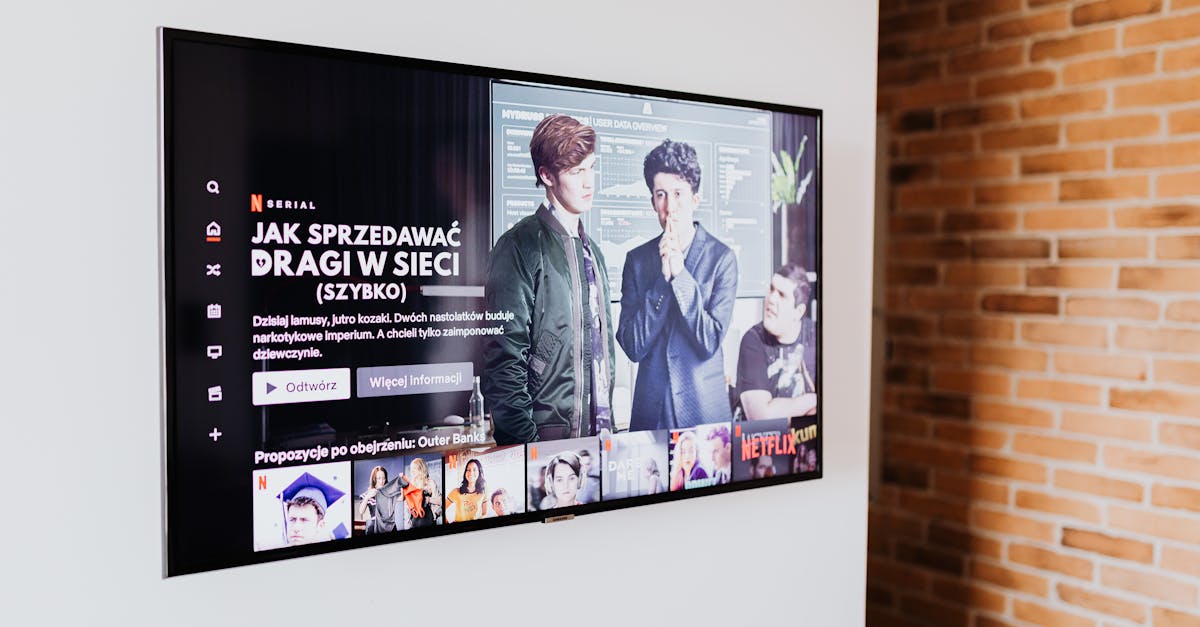
7 Reasons Your Smart TV Feels More Frustrating Than Fantastic
You bought a smart TV for the seamless experience, the apps, the voice control – all the modern conveniences that promise to elevate your viewing. Yet, too often, what you get is a slow, clunky interface, endless updates, and a remote control that seems to have a mind of its own. In my experience, the promise of a smart TV rarely lives up to the everyday reality for most users. It’s a frustrating cycle: you invest in the latest technology, expecting an upgrade, only to find yourself troubleshooting more than watching. The mistake I see most often is assuming that ‘smart’ automatically means ‘better’ or ‘simpler.’ What changed everything for me was recognizing that these devices, while powerful, come with their own set of hidden complexities that, if not addressed, quickly turn convenience into annoyance.
Key Takeaways
- Bloatware and pre-installed apps significantly degrade smart TV performance and should be minimized.
- Relying solely on your TV’s built-in operating system can lead to sluggishness; consider external streaming devices.
- Insufficient home network bandwidth or poorly placed Wi-Fi can cause persistent buffering and app crashes.
- Neglecting privacy settings on your smart TV allows excessive data collection, impacting both performance and security.
- The ‘smart’ remote often adds complexity rather than simplifying control, making universal remotes a better option.
1. Bloatware and Unused Apps Drag Down Performance
When you unbox a new smart TV, it often comes pre-loaded with dozens of apps you’ll never use. This isn’t just a minor annoyance; it’s a significant drain on your TV’s internal processor and limited RAM. Think of it like a new computer filled with trial software and advertising apps – it might look shiny on the outside, but under the hood, it’s already struggling to keep up. In my own living room, I noticed a dramatic slowdown in menu navigation and app launch times on my smart TV within the first six months. The issue wasn’t the TV’s age, but the sheer volume of background processes from apps I rarely, if ever, opened.
The specific, actionable point here is to ruthlessly uninstall or disable any apps you don’t actively use. Most smart TV operating systems, whether it’s Android TV, WebOS, or Tizen, allow you to manage installed applications. Go into your TV’s settings, find the ‘Apps’ or ‘Application Manager’ section, and delete anything unnecessary. If an app can’t be uninstalled, look for an option to ‘disable’ or ‘force stop’ it to prevent it from running in the background. This simple step frees up valuable resources, making your smart TV feel snappier and more responsive. I’ve seen TVs that felt ready for replacement suddenly breathe new life after a thorough bloatware cleanse, often reducing boot-up times by 10-15 seconds and improving app loading by 2-3 seconds.
2. Your Home Wi-Fi Isn’t Built for High-Demand Streaming
Many people upgrade to a 4K smart TV, only to be plagued by constant buffering and pixelated streams. They blame the TV or the streaming service, but the true culprit is often their home Wi-Fi network. Streaming high-definition content, especially 4K HDR, demands significant and consistent bandwidth. A typical 4K stream requires at least 25 Mbps, and if multiple devices in your home are streaming, gaming, or video conferencing simultaneously, your basic Wi-Fi setup might simply be overwhelmed. This is a common misconception: people think their internet speed (e.g., 200 Mbps from their ISP) is sufficient, but fail to account for how that speed is actually distributed and delivered within their home.
What truly changed my streaming experience was optimizing my Wi-Fi network for media consumption. First, ensure your smart TV is connected to your router’s 5GHz band, if available. The 5GHz band offers faster speeds and less interference than 2.4GHz, which is often congested with other household devices like smart assistants and microwaves. Second, consider the physical placement of your router. Walls, large furniture, and other electronics can significantly degrade signal strength. Moving the router to a central location, or even directly behind the TV (if practical and aesthetically pleasing), can make a noticeable difference. For persistent issues, an Ethernet cable provides the most reliable connection, completely bypassing Wi-Fi interference. I once had a client who saw their TV’s streaming quality jump from inconsistent 1080p to rock-solid 4K simply by switching from Wi-Fi to a direct Ethernet connection, even though their internet speed remained the same. It’s about stability, not just raw speed.
3. The Built-In Operating System is Often Underpowered
Manufacturers often prioritize screen quality and price point over the processing power dedicated to the smart TV’s operating system. This means that while your TV might display a stunning picture, the software running it can feel like it’s perpetually stuck in first gear. Think of it: a 55-inch 4K TV might cost $500, but a dedicated streaming device with a similar processor and RAM often costs $50-$100. The cost savings come from somewhere, and it’s usually in the internal components that run the ‘smart’ features. This leads to slow boot-up times, delayed responses to remote commands, and app crashes that interrupt your viewing pleasure.
My recommendation, which sounds counter-intuitive after buying a ‘smart’ TV, is to invest in a quality external streaming device. Devices like an Apple TV 4K, NVIDIA Shield TV, or Roku Ultra are designed specifically for streaming and boast far more powerful processors and optimized software. By connecting one of these via HDMI and using your TV primarily as a display, you offload the heavy lifting from the TV’s often underpowered internal system. This not only makes your streaming experience smoother and faster but also ensures you’ll get regular software updates and access to the latest apps long after your TV manufacturer stops supporting its native OS. I swapped a sluggish built-in Roku TV experience for an Apple TV, and the difference in responsiveness was night and day. Apps loaded instantly, menus glided, and the entire interaction felt premium, transforming a frustrating setup into a genuinely enjoyable one.
4. Privacy Settings Allow Excessive Data Collection and Ads
Most smart TVs are, at their core, data-gathering machines. Manufacturers and third-party advertisers collect vast amounts of information about your viewing habits, app usage, and even voice commands. This isn’t just a privacy concern; this constant data transmission and processing can also contribute to a slower, less responsive experience, and more importantly, clutter your interface with targeted (and often irrelevant) ads. Many users are unaware that their smart TV’s default settings are aggressively configured for data collection, hidden deep within dense legal agreements they quickly scrolled through during setup. This means your TV is working harder than it needs to, not just for you, but for advertisers.
The specific action to take is to meticulously review and disable privacy and data collection settings. Go into your TV’s main settings menu and look for sections like ‘Privacy,’ ‘Terms and Conditions,’ ‘Data Collection,’ ‘Advertising,’ or ‘Smart Features.’ Disable options such as ‘Interest-Based Ads,’ ‘Viewing Data Reporting,’ ‘Voice Data Collection,’ and any ‘Smart Interactivity’ features that sound like they’re monitoring your usage. While you might not be able to turn off all data collection, significantly reducing it will lessen background network activity and processing, potentially improving performance. Beyond that, it will give you peace of mind. I’ve found that doing this not only made my TV feel a little snappier due to less background processing but also drastically reduced the intrusive ads that pop up within the TV’s native interface.
5. The ‘Smart’ Remote Control Adds, Rather Than Reduces, Complexity
The promise of a smart remote is often a sleek design, fewer buttons, and voice control. In reality, these remotes frequently introduce new layers of frustration. Learning a new button layout, dealing with inconsistent voice recognition, or finding that essential functions are buried deep within on-screen menus can be more cumbersome than a traditional remote with dedicated buttons. For example, my smart TV’s remote replaced individual numbers with an on-screen keypad that required multiple clicks just to change channels. This is a stark contrast to the simplicity it promised, forcing users to adapt to an inefficient design rather than making the technology intuitive.
What actually simplifies control is to revert to a universal remote or consolidate with a dedicated streaming device’s remote. If you primarily use an external streaming device, its remote is usually far more intuitive and offers better control over its specific functions. Alternatively, a good universal remote can be programmed to control your TV, soundbar, and streaming device with physical buttons, eliminating the need to juggle multiple controllers or navigate cumbersome on-screen menus. For me, switching to the Apple TV remote for nearly all my functions meant I no longer had to hunt for the right button or shout commands at a stubborn microphone. It brought back a sense of direct, effortless control that the ‘smart’ remote had taken away.
6. Software Updates Are Mandatory and Disruptive
Modern smart TVs, like smartphones, constantly require software updates. While these updates are crucial for security and new features, they often occur at inconvenient times, take surprisingly long, and sometimes even introduce new bugs or change the interface in ways you don’t like. There’s nothing more frustrating than sitting down to watch a movie, only to be hit with a mandatory 15-minute update that can’t be postponed indefinitely. This disrupts the ‘instant gratification’ experience that streaming promises and often feels like an imposition rather than an improvement. Many users, myself included, have experienced updates that temporarily broke apps or reset custom settings, adding to the frustration.
The actionable approach here is to manage your TV’s update settings proactively, if possible. Some smart TVs allow you to set specific update windows (e.g., in the middle of the night) or, at the very least, disable automatic updates and opt for manual installation. While I don’t recommend completely avoiding updates due to security risks, taking control over when they happen can significantly reduce disruption. Regularly check for new updates manually at your convenience. If automatic updates are unavoidable, prepare for them. I’ve found that scheduling my own mental ‘update window’ once a month for all my smart devices helps mitigate the surprise factor and keeps everything running smoothly without unexpected interruptions.
7. HDMI-CEC Causes More Conflicts Than Convenience
HDMI-CEC (Consumer Electronics Control) is a feature designed to let devices connected via HDMI communicate and control each other. In theory, you could turn on your TV and soundbar with a single button press. In practice, HDMI-CEC often creates a chaotic mess of devices turning on and off erratically, switching inputs randomly, or refusing to respond to commands. This feature, intended to simplify your home theater, frequently overcomplicates it by introducing unpredictable behavior that’s incredibly difficult to troubleshoot. I’ve personally spent hours trying to figure out why my soundbar kept turning on when I only wanted to listen to music from a different device.
What delivers true control is to selectively disable HDMI-CEC, or use it sparingly with specific devices. Many people, myself included, eventually turn off HDMI-CEC entirely on their TV and rely on a universal remote or the individual power buttons of their devices. However, if you find it works reliably for one specific pairing (e.g., your TV and a soundbar), you can often configure your TV’s settings to enable CEC only for that particular HDMI port, or for a limited set of functions. Experiment to see what works, but don’t hesitate to switch it off if it’s causing more headaches than it’s solving. A client once had their gaming console randomly power on their TV and switch inputs, only to discover it was CEC interference from another device. Disabling it on the TV’s side instantly resolved the phantom power-ups and restored sanity to their living room setup.
Frequently Asked Questions
Q: Why does my smart TV freeze so often?
A: Frequent freezing is often due to insufficient RAM, too many apps running in the background (bloatware), or a weak Wi-Fi signal. Try uninstalling unused apps, ensuring your TV is on the 5GHz Wi-Fi band, or connecting via Ethernet. If issues persist, consider an external streaming device to offload processing.
Q: Is it better to use a smart TV’s built-in apps or an external streaming device?
A: Generally, external streaming devices like Apple TV, Roku, or NVIDIA Shield offer superior performance, faster processing, more frequent updates, and a better user experience compared to most built-in smart TV apps. They are purpose-built for streaming and often have dedicated hardware for smooth operation.
Q: How can I improve my smart TV’s Wi-Fi connection?
A: Ensure your router is centrally located and not obstructed. Connect your TV to the 5GHz Wi-Fi band if possible, as it’s faster and less congested. For the most stable connection, use an Ethernet cable directly from your router to your TV. You may also need to consider your overall home network’s bandwidth.
Q: Do smart TVs collect my data, and how can I stop it?
A: Yes, most smart TVs collect viewing habits and usage data. You can reduce this by navigating to your TV’s privacy settings and disabling options like ‘Interest-Based Ads,’ ‘Viewing Data Reporting,’ and ‘Voice Data Collection.’ While you can’t eliminate all data sharing, limiting these settings will reduce background activity and improve privacy.
Q: What is HDMI-CEC, and should I keep it enabled?
A: HDMI-CEC allows connected devices to control each other via HDMI. While designed for convenience, it often leads to unexpected behaviors like devices turning on/off randomly. It’s often better to disable it in your TV settings and use a universal remote or individual device remotes for more predictable control, or enable it selectively for specific, reliable pairings.
Conclusion
Smart TVs, despite their allure, often present a paradox: they promise simplicity but deliver complexity. The frustration isn’t usually from a faulty device, but from overlooked aspects of their design and integration into our homes. By understanding the underlying reasons—from bloatware to network limitations and overzealous features like HDMI-CEC—you can take concrete steps to reclaim control. My journey revealed that a ‘smarter’ experience doesn’t always come from the TV itself, but from strategic adjustments and, sometimes, the selective use of external solutions. Your next step should be to tackle just one of these points. Start by uninstalling some unused apps and see how much difference a few clicks can make.
Written by Sarah Jenkins
Home & Lifestyle
A retired librarian with an encyclopedic knowledge of practical solutions for home and garden.
You Might Also Like

3 Non-Obvious Reasons Your New Coffee Maker Underperforms
Unlock better coffee at home by fixing common, overlooked issues with your new coffee maker. It's not always about the beans.

A Practical Checklist for Planning a Stress-Free Home Move
Moving homes can be overwhelming. This checklist offers actionable steps to navigate the process with minimal stress and maximum efficiency.

Do You Really Need to Tip Your Hairdresser?
Uncover the nuanced etiquette of tipping your hairdresser, including when it's expected, how much to give, and what factors influence the amount.